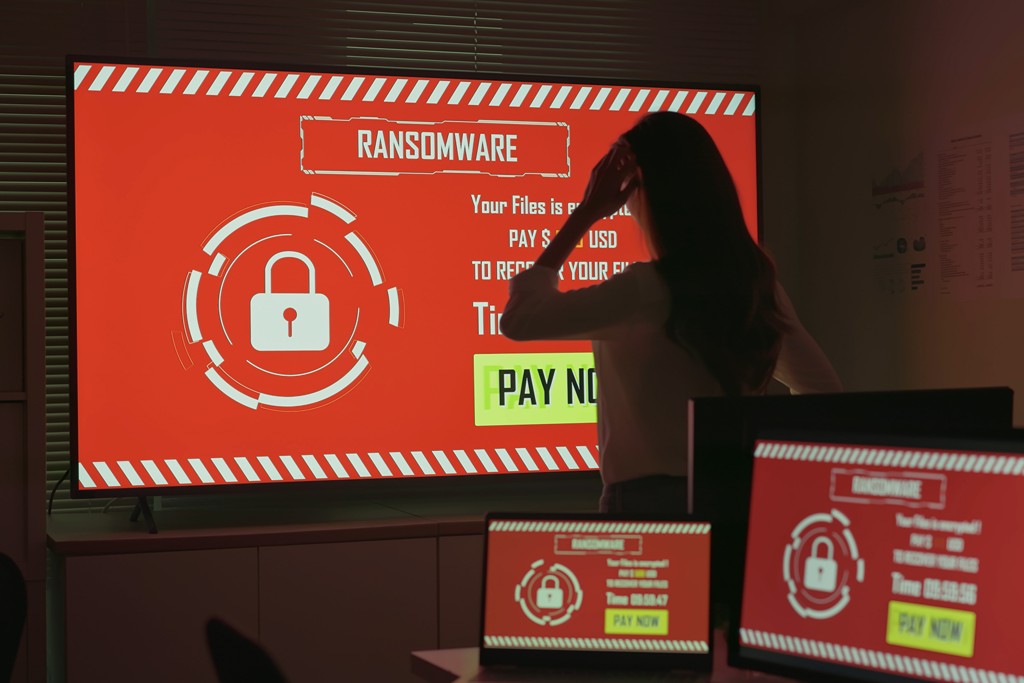
It’s 8.30am and nobody can open a file. On every screen there’s a message saying your data has been locked, and that you can have it back for a price. A countdown timer sits underneath.
Few moments in business feel quite so stark. And when the pressure is at its height, one question tends to take over the room: should we just pay?
It’s far better to think about that now than in the middle of an incident.
Why paying is so tempting
When systems are down, every hour costs money. Customers can’t be served, staff can’t work and the phone keeps ringing. A ransom demand can look like a shortcut: pay up, get the key, carry on.
Attackers understand this. Demands are often pitched at a level they hope will seem cheaper than days of disruption, and deadlines are added to stop you thinking too carefully. The panic is part of the plan.
Why paying isn’t the safe option it appears
There’s no guarantee. You’re dealing with criminals, and their promises are worth very little. Decryption tools can be slow, unreliable or only partly effective, and some businesses pay and still don’t recover everything.
It doesn’t close the door. Paying doesn’t tell you how the attackers got in. If the weakness is still there, they or someone else can return. Being known as a business that pays can make you a more attractive target, not a less attractive one.
Your data may already be gone. Many attacks now involve copying data before encrypting it. A decryption key doesn’t undo that, and a promise to delete stolen information is only a promise from the people who stole it.
It funds the next attack. Payments keep this type of crime profitable, which is why the National Cyber Security Centre and law enforcement advise against paying.
There are legal questions. Paying isn’t automatically illegal for a private business, but it can create problems, for example if the group is linked to someone subject to sanctions. Separately, if personal data has been affected, you may need to report it to the Information Commissioner’s Office within 72 hours, whether you pay or not.
Where insurance fits in
If you have cyber insurance, contact your insurer early. Many policies expect to be told before you take certain steps, and some include access to specialist incident response support. Don’t assume your policy covers a ransom payment, though. Check what it actually says before you need it.
Making the question less urgent
The strongest answer to “should we pay?” is to be in a position where you don’t have to. That comes down to some unglamorous basics:
- Backups that work. Keep copies separate from your main network, protect them from being altered or deleted, and test that you can restore from them.
- Closing the usual doors. Prompt updates, multi-factor authentication and sensible access controls make an attack harder to land.
- Prepared people. Many attacks begin with one convincing email. Staff who know what to look for are a genuine line of defence.
- A rehearsed plan. Knowing who does what, and in what order, saves precious time when it matters.
Attackers know that good backups weaken their leverage, so they often try to find and delete or encrypt them first. That’s why separation and testing matter. A backup you’ve never tried to restore is a hope, not a plan.
Even with good backups, stolen data remains a problem, so prevention and recovery both matter. Neither replaces the other.
Decide before the day arrives
A few questions are worth answering calmly, in advance:
- Who has the authority to make decisions during an incident?
- Who do we call first, and are those numbers stored somewhere other than the affected network?
- How long would it take to restore from our backups?
- What does our insurance cover, and what does it require us to do?
- Who would we turn to for legal advice?
If it does happen
Disconnect affected devices from the network, call your IT provider straight away, contact your insurer and avoid rushing into any contact with the attackers. Report the incident to the appropriate authorities and keep notes of what happened and when.
Resist the urge to wipe and rebuild immediately, as evidence of how the attackers got in can be valuable, and your IT provider can advise on what to preserve. Tell staff clearly what is happening and what they should and shouldn’t do, so rumours and well-meaning guesswork don’t make things worse.
Prepared businesses have more choices
Ransomware is frightening because it takes choices away. Good preparation gives some of them back. A business with tested backups, a clear plan and strong defences can face that 8.30am moment very differently from one that has never given it a thought.
Worried about how ready your business really is? Provident IT Solutions can help you strengthen your defences and put a recovery plan in place before you ever face that decision. Find out more about our IT Security service or get in touch for a friendly, jargon-free chat.